Introduction
Buying a second-hand iPhone is becoming an increasingly popular choice across the UK, especially as the cost of brand-new smartphones continues to rise. A well-maintained used iPhone can offer the same smooth performance, premium design, and reliable iOS experience as a new device, often at a significantly lower price. However, one question concerns almost every buyer before making a purchase: is it safe to buy a second hand iPhone? The answer is yes – but only if you know what to look for and buy from a trusted seller.
Factors such as battery health, Activation Lock, IMEI status, cosmetic condition, and warranty can make the difference between finding an excellent deal and making an expensive mistake. In this comprehensive guide, our refurbishment specialists at iExpert Market explain everything you need to know before buying a second-hand iPhone in the UK, including the essential checks to perform, common scams to avoid, and why a professionally refurbished iPhone often provides the best combination of value, reliability, and long-term peace of mind.
Is It Safe to Buy a Second Hand iPhone?
Yes, buying a second-hand iPhone is safe – as long as you purchase from a trusted seller and thoroughly check the device before buying. A genuine used iPhone can save you hundreds of pounds while still delivering excellent performance for years. However, not every second-hand phone is worth your money. Hidden faults, poor battery health, Activation Lock, blacklisted IMEI numbers, and counterfeit replacement parts are just some of the risks buyers may face. In this guide, we’ll explain exactly how to avoid these problems, what to inspect before buying, where to purchase a reliable second-hand iPhone in the UK, and why professionally refurbished devices often provide the best balance between price, reliability, and peace of mind.
Quick Answer:Is It Safe to Buy a Second Hand iPhone?
Yes, it is generally safe to buy a second-hand iPhone, provided you purchase it from a trusted seller and carefully check its condition, battery health, IMEI status, and Activation Lock. While buying privately can sometimes save a little more money, professionally refurbished iPhones usually provide greater reliability, warranty protection, and long-term peace of mind.
Why Are More People Buying Second-Hand iPhones?
Only a few years ago, many people associated second-hand phones with unreliable batteries, scratched screens, and uncertain performance. Today, that perception has changed significantly. Across the UK, demand for used and refurbished iPhones continues to grow as more buyers realise they don’t need the latest model to enjoy a fast, reliable smartphone.
Apple devices are designed to last much longer than many people expect. Thanks to powerful processors, premium build quality, and years of iOS software support, an iPhone that is two, three, or even four years old can still handle everyday tasks with ease. Whether you’re browsing the web, taking photos, streaming videos, using social media, or working remotely, a well-maintained second-hand iPhone can deliver an experience that’s remarkably close to a brand-new device.
Another major reason behind this growing trend is the increasing cost of new smartphones. With flagship iPhones often costing well over £1,000, many buyers are looking for more affordable alternatives without sacrificing quality. A second-hand or professionally refurbished iPhone allows you to enjoy Apple’s ecosystem while saving a substantial amount of money.
1. Why UK Buyers Prefer Used iPhones
There isn’t just one reason why second-hand iPhones have become so popular. Instead, it’s a combination of affordability, reliability, and long-term value.
Some of the biggest advantages include:
- Saving hundreds of pounds compared to buying new.
- Receiving regular iOS updates for several years.
- Premium build quality that stands the test of time.
- Better resale value than many competing smartphones.
- Access to flagship features at a much lower price.
- A more environmentally friendly choice by extending the life of existing devices.
- Greater availability of professionally refurbished models with warranties.
For many people, these benefits make far more sense than purchasing a brand-new budget phone that may offer lower performance and receive fewer software updates.
2. New vs Second-Hand iPhone: Is the Difference Really That Big?
The answer depends on what matters most to you.
If having the very latest features is your top priority, then buying new may be the right choice. However, if you’re looking for the best balance between price and performance, a second-hand iPhone is often the smarter investment.
| Feature | Brand-New iPhone | Second-Hand / Refurbished iPhone |
|---|---|---|
| Purchase Price | Highest | Much more affordable |
| Daily Performance | Excellent | Excellent for most users |
| iOS Updates | Longest support | Often several years remaining |
| Warranty | Apple Manufacturer Warranty | Retailer warranty (from trusted sellers) |
| Depreciation | Highest during the first year | Much slower depreciation |
| Value for Money | Good | Outstanding |
As the table shows, buying second-hand doesn’t necessarily mean compromising on quality. In many cases, you’re simply avoiding the biggest depreciation that occurs when a new phone is first purchased.
3. It’s Not Just About Saving Money
One common misconception is that people only buy second-hand iPhones because they’re cheaper. In reality, many buyers could afford a brand-new iPhone but choose not to.
Instead, they prefer spending less while getting a device that still offers premium performance. The money they save can then be used for accessories, AppleCare alternatives, insurance, or even another piece of technology such as an iPad or MacBook.
Students often choose second-hand iPhones because they offer excellent performance without stretching a limited budget. Parents buying a first phone for their children appreciate the lower cost, while businesses frequently purchase refurbished iPhones to equip employees without significantly increasing operating expenses.
4. Expert Insight
At iExpert Market, we’ve seen a noticeable shift in customer buying behaviour over the last few years. Increasingly, customers aren’t simply asking for the cheapest iPhone – they’re looking for the best value. Many compare battery health, warranty, cosmetic condition, and long-term reliability before making a decision.
This change reflects a more informed buyer who understands that a slightly higher upfront cost for a professionally tested device can often save money and frustration in the long run.
5. Common Buyer Mistake
Many buyers focus exclusively on price.
Finding an iPhone that’s £40 or £50 cheaper than similar listings may seem like a bargain, but it’s important to ask why it’s cheaper. Hidden issues such as poor battery health, aftermarket screens, faulty cameras, or even Activation Lock problems can quickly turn an apparent bargain into an expensive repair.
Remember, the cheapest second-hand iPhone isn’t always the best value.
6. Pro Tip
Before comparing prices, decide what matters most to you.
Would you rather save a little money today, or spend slightly more on a professionally tested device that includes a warranty and customer support if something goes wrong?
For most buyers, peace of mind is worth far more than the small difference in price.
Why More People Are Buying Second-Hand iPhones
A few years ago, buying a second-hand smartphone often felt like taking a risk. Many buyers worried about hidden faults, poor battery life, or whether the device would stop working after a few months. Today, the situation is very different. Advances in smartphone technology, longer software support, and the growing popularity of certified refurbishment have completely changed how people view pre-owned devices.
Across the UK, more consumers are choosing second-hand iPhones than ever before. Rather than paying premium prices for the latest model, many buyers now recognise that a well-maintained iPhone can deliver outstanding performance for years while costing significantly less. Whether you’re upgrading your current device, buying your first iPhone, or looking for a reliable phone on a budget, purchasing second-hand has become a practical and financially sensible option.
The biggest reason behind this trend is simple – Apple builds devices that last. Unlike many smartphones that quickly lose performance or stop receiving software updates, iPhones continue to perform well for several years. Apple also provides long-term iOS support, meaning older models remain secure, compatible with new apps, and capable of handling everyday tasks without feeling outdated.
For many people, this makes buying second-hand an easy decision.
1. Why Are Second-Hand iPhones So Popular?
There isn’t just one reason why demand continues to grow. Instead, it’s a combination of affordability, reliability, sustainability, and long-term value that makes second-hand iPhones such an attractive option.
Here are some of the biggest reasons UK buyers are choosing pre-owned iPhones in 2026:
- Save hundreds of pounds compared to buying new.
- Enjoy Apple’s premium build quality at a lower price.
- Receive iOS updates for several years after purchase.
- Reduce electronic waste by extending a device’s lifespan.
- Access flagship features without paying flagship prices.
- Choose from a wider range of models to suit different budgets.
- Benefit from warranties when buying from trusted refurbishment specialists.
For students, families, business users, and anyone looking to maximise value for money, these advantages make second-hand iPhones an increasingly appealing choice.
2. Apple Devices Are Built to Last
One of the biggest reasons second-hand iPhones remain in high demand is their exceptional longevity.
Apple designs both its hardware and software to work seamlessly together. This optimisation means that even iPhones released several years ago continue to deliver smooth performance for everyday activities such as browsing the internet, taking photos, streaming videos, using social media, attending video calls, or managing work emails.
Unlike some smartphones that begin to feel slow after only a couple of years, many iPhones remain responsive long after their initial release. This makes them ideal candidates for resale and refurbishment.
For example, an iPhone 13 or iPhone 14 can still meet the needs of most users without requiring the latest flagship model. Instead of paying full retail price for a new device, buyers can enjoy a premium smartphone experience while keeping more money in their pocket.
3. Saving Money Doesn’t Mean Compromising on Quality
Many people assume that buying second-hand means settling for lower quality. In reality, that’s often not the case.
The largest drop in an iPhone’s value usually happens during its first year of ownership. Once that initial depreciation has occurred, the phone may still offer excellent performance, modern features, and years of software support.
This means you’re often paying less because the device is pre-owned – not because it has become obsolete.
New vs Second-Hand iPhone
| Feature | Brand-New iPhone | Second-Hand iPhone |
|---|---|---|
| Purchase Price | Highest | Much more affordable |
| Everyday Performance | Excellent | Excellent for most users |
| Camera Quality | Latest improvements | Still outstanding on recent models |
| iOS Updates | Longest support | Usually several years remaining |
| Value for Money | Good | Excellent |
| Environmental Impact | New manufacturing required | Helps reduce electronic waste |
For many buyers, these advantages outweigh the small compromises that come with purchasing a pre-owned device.
4. Sustainability Is Becoming a Bigger Priority
Buying a second-hand iPhone isn’t only a smart financial decision – it’s also a more environmentally responsible one.
Every refurbished or reused smartphone helps reduce electronic waste and decreases the demand for manufacturing new devices. Producing smartphones requires valuable raw materials, energy, and complex supply chains. Extending the lifespan of an existing device helps minimise this environmental impact.
As sustainability becomes more important to UK consumers, many buyers are deliberately choosing refurbished technology because it supports a more circular economy without sacrificing quality or performance.
5. Common Buyer Mistake
A common misconception is that every second-hand iPhone is automatically a bargain. Unfortunately, that’s not always true. A device with a very low price may have hidden problems such as:
- A worn-out battery that needs replacing.
- A non-genuine display that affects brightness and touch sensitivity.
- Previous water damage.
- A blacklisted IMEI.
- Activation Lock enabled.
- Faulty cameras or Face ID.
Without checking these details, what looks like an excellent deal can quickly become an expensive repair. Price should always be considered alongside the phone’s condition, testing history, warranty, and the reputation of the seller.
Second-Hand vs Refurbished iPhone: What’s the Difference?
One of the biggest misconceptions among smartphone buyers is that a second-hand iPhone and a refurbished iPhone are exactly the same thing. Although both devices have had a previous owner, the way they are prepared, tested, and sold can be completely different.
Understanding this difference is essential because it directly affects the phone’s reliability, warranty, long-term performance, and overall value for money.
Many buyers see the word used or refurbished in an online listing and assume they’re interchangeable. Unfortunately, that’s not always the case. A second-hand iPhone may have been sold exactly as it was by its previous owner, while a refurbished iPhone has usually been professionally inspected, tested, cleaned, and prepared for its next owner.
If you’re trying to decide which option offers the best balance between price and peace of mind, it’s important to understand what each term actually means.
1. What Is a Second-Hand iPhone?
A second-hand iPhone is simply an iPhone that has been owned by someone else before being sold again. The previous owner may have upgraded to a newer model, switched to another brand, or simply decided to sell the device. In many cases, the phone is sold privately through online marketplaces, local classified websites, social media groups, or directly to another individual.
While some second-hand iPhones are in excellent condition, others may have received very little inspection before being listed for sale.
For example, a private seller may only perform a factory reset, wipe personal data, and upload a few photographs before advertising the phone. They may not know the battery health, whether any internal components have previously been replaced, or if minor hardware faults are beginning to develop.
Because of this, the quality of second-hand iPhones can vary significantly from one seller to another.
2. What Is a Refurbished iPhone?
A refurbished iPhone has also had a previous owner, but unlike a standard second-hand phone, it goes through a professional refurbishment process before being offered for sale again.
The exact process varies between retailers, but reputable refurbishment specialists usually carry out a comprehensive inspection to ensure the device meets strict quality standards.
A professionally refurbished iPhone may include:
- Comprehensive hardware diagnostics.
- Battery health assessment.
- Display and touchscreen testing.
- Camera functionality checks.
- Speaker and microphone testing.
- Charging port inspection.
- Face ID or Touch ID verification.
- Wi-Fi, Bluetooth, and mobile network testing.
- Factory reset and secure data removal.
- Professional cleaning and cosmetic grading.
- Final quality control inspection before dispatch.
If any faulty components are identified during testing, they are repaired or replaced before the device is approved for resale. This additional level of inspection helps reduce the risk of hidden problems and provides buyers with greater confidence.
3. Side-by-Side Comparison
| Feature | Second-Hand iPhone | Professionally Refurbished iPhone |
|---|---|---|
| Previous Owner | Yes | Yes |
| Professionally Tested | Usually No | Yes |
| Hardware Diagnostics | Rarely | Comprehensive |
| Battery Assessment | Depends on Seller | Included |
| Cosmetic Grading | Usually Not | Clearly Explained |
| Warranty | Rarely Included | Usually Included |
| Return Policy | Often Limited | Available from Trusted Retailers |
| Quality Control | Not Guaranteed | Multiple Inspection Stages |
| Peace of Mind | Varies | Much Higher |
Looking at the comparison above, it’s clear that both devices may look similar from the outside, but the buying experience can be very different.
4. Why This Difference Matters
Imagine two people buying exactly the same iPhone model.
The first buyer purchases a cheap second-hand device from an online marketplace because it appears to be the lowest price available.
The second buyer spends slightly more on a professionally refurbished model from a trusted retailer. Initially, both phones may seem almost identical.
However, after a few months, the first buyer discovers that the battery drains unusually quickly, the charging port is unreliable, and Face ID no longer works properly. Since the phone was purchased privately, there is little or no after-sales support.
Meanwhile, the second buyer continues using their refurbished iPhone without any issues. If a fault does occur, the retailer’s warranty provides additional protection.
This example highlights an important lesson: The cheapest purchase isn’t always the cheapest ownership experience.
5. Does Refurbished Always Mean Perfect?
Not necessarily.
Although refurbished iPhones generally offer greater reliability, the quality of refurbishment depends entirely on the company selling the device.
Some retailers perform extensive testing using professional diagnostic equipment, while others may carry out only basic inspections before listing the phone for sale.
This is why it’s important to choose a retailer that clearly explains:
- Their refurbishment process.
- Cosmetic grading standards.
- Warranty terms.
- Return policy.
- Battery health expectations.
- Quality control procedures.
The more transparent a retailer is, the easier it becomes to buy with confidence.
At iExpert Market, every refurbished iPhone undergoes multiple inspection stages before it reaches a customer. Rather than simply checking whether the phone turns on, technicians assess battery performance, display quality, cameras, charging functionality, connectivity, buttons, speakers, microphones, and software performance. This comprehensive approach helps ensure customers receive a device they can rely on every day.
6. Common Buyer Mistake
One of the biggest mistakes buyers make is assuming that every refurbished iPhone has been refurbished to the same standard. Unfortunately, that’s not true.
Some sellers use the term refurbished simply because the phone has been cleaned and reset. Others invest time in thorough diagnostics, repairs where necessary, and detailed quality control before offering the device for sale.
That’s why it’s always worth researching the retailer before making a purchase rather than relying on the word refurbished alone.
Pro Tip
When comparing two similar iPhones, don’t just compare the price. Also compare:
- Warranty length.
- Battery condition.
- Cosmetic grade.
- Return policy.
- Testing process.
- Customer reviews.
- After-sales support.
Paying slightly more for a professionally refurbished device often provides significantly better value over the long term.
What Are the Risks of Buying a Second-Hand iPhone?
Buying a second-hand iPhone can be an excellent way to save money, but like any pre-owned purchase, it also comes with potential risks. The good news is that most of these risks are completely avoidable if you know what to check before buying and choose a reputable seller.
Many buyers make the mistake of focusing solely on the price. A listing that appears to be £100 cheaper than similar devices can be tempting, but there’s often a reason behind the lower price. Hidden hardware faults, poor battery health, stolen devices, or previous repairs using non-genuine parts can all reduce the value of a second-hand iPhone and lead to unexpected repair costs.
That doesn’t mean you should avoid buying a used iPhone altogether. Instead, it means you should understand the most common problems and know how to identify them before making a purchase.
Let’s look at the biggest risks every buyer should be aware of.
1. Activation Lock
One of the most serious issues you can encounter is Apple’s Activation Lock.
Activation Lock is a security feature linked to Apple’s Find My iPhone service. If the previous owner hasn’t removed their Apple ID from the device, you’ll be unable to activate the iPhone after resetting it.
In simple terms, the phone becomes unusable until the original owner enters their Apple ID credentials. Unfortunately, this isn’t something you can bypass legally.
How to Avoid It
Before buying a second-hand iPhone:
- Make sure the previous owner has signed out of their Apple ID.
- Check that Find My iPhone has been disabled.
- Restart the phone and ensure it reaches the normal setup screen.
- Never buy a device that asks for someone else’s Apple ID password.
If the seller says they can remove the lock later, it’s usually best to walk away.
2. Blacklisted or Stolen Devices
Another common risk is purchasing a phone that has been reported as lost or stolen. When this happens, the phone’s IMEI number may be blacklisted by UK mobile networks.
A blacklisted iPhone may:
- Be unable to connect to mobile networks.
- Lose network access after purchase.
- Have significantly lower resale value.
- Be difficult or impossible to use as your primary phone.
Even if the phone looks perfect, a blacklisted IMEI can turn it into an expensive paperweight.
Expert Tip
Always ask the seller for the IMEI number before buying. A reputable seller should have no problem providing it so you can verify the device’s status.
We’ll explain exactly how to check an IMEI later in this guide.
3. Poor Battery Health
Battery health is one of the most overlooked aspects of buying a second-hand iPhone. Every rechargeable battery naturally loses capacity over time. As the battery ages, you may notice:
- Faster battery drain.
- Unexpected shutdowns.
- Slower performance.
- More frequent charging.
A phone with excellent cosmetic condition may still have a battery that’s close to needing replacement. Fortunately, Apple makes it easy to check battery health directly in iOS.
Generally speaking:
| Battery Health | What It Means | Recommendation |
|---|---|---|
| 95%-100% | Excellent condition | Ideal purchase |
| 90%-94% | Very good | Great choice |
| 85%-89% | Good | Suitable for most users |
| 80%-84% | Acceptable | Consider future battery replacement |
| Below 80% | Poor | Budget for a new battery or choose another device |
Battery health isn’t everything, but it’s an important indicator of how heavily the phone has been used.
4. Hidden Water Damage
Water damage isn’t always obvious.
A phone may appear to work perfectly during a quick inspection, only for problems to develop weeks or months later. Moisture inside the device can affect:
- Charging.
- Speakers.
- Cameras.
- Face ID.
- Display performance.
- Internal circuitry.
Because these issues don’t always appear immediately, buying from a trusted retailer that thoroughly inspects every device is often the safest option.
Warning Signs
Be cautious if you notice:
- Fog inside camera lenses.
- Corrosion around charging ports.
- Distorted speakers.
- Screen flickering.
- Random restarts.
These symptoms don’t always confirm water damage, but they should certainly raise concerns.
5. Non-Genuine Replacement Parts
Not every repaired iPhone is repaired using genuine-quality components. Some devices contain aftermarket displays, batteries, cameras, or charging ports that don’t perform as well as the original parts.
Common issues include:
- Reduced display brightness.
- Poor colour accuracy.
- Less responsive touchscreens.
- Faster battery degradation.
- Camera quality that’s noticeably worse.
- Face ID no longer functioning correctly.
This is one reason professionally refurbished iPhones from reputable retailers are often worth considering, as quality control helps identify these issues before the device is sold.
6. No Warranty or After-Sales Support
Private sales usually end the moment money changes hands. If something goes wrong a few days later, you’re often responsible for the repair costs yourself.
By comparison, many trusted refurbishment specialists provide:
- Warranty protection.
- Return periods.
- Customer support.
- Technical assistance.
- Clearly explained grading standards.
That additional protection provides valuable peace of mind, particularly for higher-value devices.
7. Common Buyer Mistake
One of the biggest mistakes people make is assuming that if a phone turns on, everything must be working properly.
In reality, many problems don’t become noticeable until you’ve used the phone for several days. Issues like battery degradation, overheating, weak network reception, faulty cameras, or charging problems can easily go unnoticed during a brief inspection.
Taking a few extra minutes to check the device properly before buying can save you significant money and frustration later.
Expert Insight
At iExpert Market, we regularly inspect devices that appear to be in excellent cosmetic condition but fail diagnostic testing due to battery wear, charging faults, or previously fitted low-quality components. That’s why professional testing is just as important as a phone’s appearance. A spotless exterior doesn’t always mean the device is in excellent working order.
How to Check a Second-Hand iPhone Before Buying
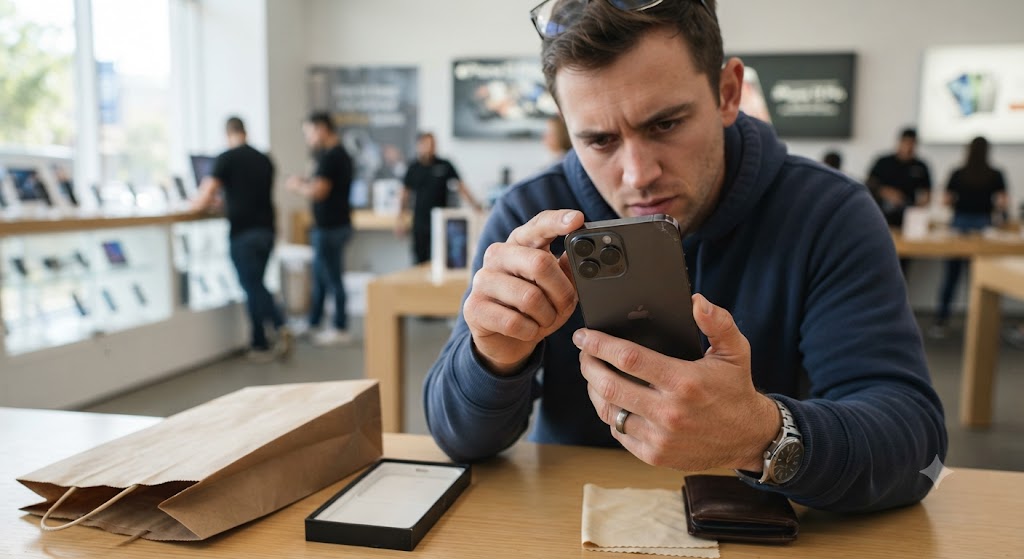
Finding a second-hand iPhone at a great price can feel like a bargain, but before you hand over your money, it’s important to carry out a few essential checks. Many problems aren’t immediately visible, and a phone that looks almost brand new could still have hidden issues that affect its performance or value.
The good news is that you don’t need to be a technician to inspect a used iPhone properly. By following a simple checklist, you can identify many common problems before making a purchase and significantly reduce the risk of buying a faulty device.
Whether you’re buying from a private seller or comparing devices from different retailers, these checks can help you make a more informed decision.
1. Check the Overall Physical Condition
Start by carefully examining the outside of the phone. Cosmetic wear is normal on a used device, but excessive damage may indicate that the phone hasn’t been well looked after. Take your time to inspect every side of the iPhone under good lighting.
Look for:
- Deep scratches or dents.
- Cracks around the frame.
- Bent corners.
- Loose buttons.
- Damage around the charging port.
- Signs that the phone has been opened previously.
Small cosmetic marks won’t usually affect performance, but structural damage could suggest the phone has experienced heavy impacts or previous repairs.
2. Make Sure the Display Is Working Properly
The display is one of the most expensive components to replace, so it deserves close attention. Increase the screen brightness and check whether colours look vibrant and consistent across the display.
You should also test the touchscreen by opening different apps and swiping across every part of the screen. Watch out for:
- Dead pixels.
- Flickering.
- Yellow patches.
- Bright spots.
- Touchscreen delays.
- Unresponsive areas.
If the display doesn’t respond smoothly, it may have been replaced with a low-quality aftermarket screen.
3. Test Every Physical Button
It sounds simple, but many buyers forget this step. Press each button several times to ensure it responds correctly.
Check:
- Power button.
- Volume buttons.
- Silent switch (where applicable).
Each button should feel firm and provide consistent feedback. Buttons that stick or require excessive pressure may indicate internal wear or previous damage.
4. Inspect the Cameras
One of the biggest reasons people buy an iPhone is its camera quality. Open the Camera app and test every available lens. Take several photos in different lighting conditions and record a short video.
Make sure to check:
- Front camera.
- Rear camera.
- Portrait mode.
- Video recording.
- Flash.
- Zoom functionality.
- Camera focus speed.
Images should appear sharp and free from unusual blur or distortion.
If the camera struggles to focus or produces blurry photos, it may have suffered impact damage or been repaired using poor-quality components.
5. Test the Speakers and Microphones
Play music or a YouTube video at maximum volume. Listen carefully for:
- Distortion.
- Crackling sounds.
- Low volume.
- Buzzing.
Next, record a short voice memo and play it back. Clear audio from both the speakers and microphone is a good sign that the device is functioning correctly.
6. Check Face ID or Touch ID
Biometric security is one of the most valuable features on an iPhone. If you’re buying a model with Face ID, ask the seller if you can set up Face ID temporarily.
It should recognise your face quickly and unlock the phone without difficulty. For older models with Touch ID, test fingerprint recognition several times. If either feature doesn’t work, repairs can be expensive.
7. Test the Charging Port
Connect the phone to a charger. The cable should fit securely without feeling loose. Check whether:
- Charging starts immediately.
- The connection remains stable.
- The phone charges consistently when moved slightly.
A faulty charging port may require repair, so don’t overlook this simple test.
8. Insert a SIM Card
Whenever possible, insert your own SIM card before buying. This allows you to confirm:
- Mobile signal.
- Calling.
- Text messaging.
- Mobile data.
If the phone struggles to connect to your network, further investigation may be needed.
9. Check Wi-Fi, Bluetooth and GPS
Connectivity problems aren’t always obvious during a quick inspection. Spend a few minutes testing:
- Wi-Fi connection.
- Bluetooth pairing.
- Location services.
- AirDrop (if available).
Reliable connectivity is essential for everyday use.
10. Compare What You See With What the Seller Told You
A trustworthy seller should describe the phone accurately. If they claimed the phone was “like new” but you discover scratches, weak battery performance, or faulty features during your inspection, it’s reasonable to question the rest of the listing.
Transparency is usually a good indicator of a reliable seller.
Complete Inspection Checklist
| Before You Buy, Check… | Why It’s Important | Our Recommendation |
|---|---|---|
| Overall Condition | Scratches are normal, but deep dents or cracks may suggest the phone has been dropped or poorly looked after. | Carefully inspect the frame, screen, and back glass before buying. |
| Display Quality | A damaged or low-quality replacement screen can affect brightness, colour accuracy, and touch responsiveness. | Test the entire display and make sure it responds smoothly without flickering or dead pixels. |
| Cameras | Camera repairs can be expensive, and faults aren’t always obvious at first glance. | Take a few photos and videos with every lens to confirm everything works properly. |
| Face ID or Touch ID | These security features can stop working after certain repairs and are often costly to fix. | Always test Face ID or Touch ID before completing the purchase. |
| Battery Health | A worn battery won’t last as long and may need replacing sooner than expected. | Aim for a battery health of 85% or higher for the best everyday experience. |
| Charging Port | Loose or damaged charging ports can cause intermittent charging problems. | Plug in a charger and make sure the connection is secure and charges consistently. |
| Speakers & Microphone | Faulty audio can affect calls, videos, and media playback. | Play music and record a short voice note to check sound quality. |
| Wi-Fi & Bluetooth | Connectivity issues can make everyday use frustrating. | Connect to Wi-Fi and pair a Bluetooth device if possible. |
| SIM & Mobile Network | A phone with network issues won’t be reliable for calls or mobile data. | Insert a SIM card to confirm it detects the network and makes calls. |
| IMEI & Activation Lock | These checks help confirm the phone isn’t blacklisted, stolen, or still linked to the previous owner’s Apple ID. | Never buy a second-hand iPhone until both checks have been completed. |
Common Buyer Mistake
Many buyers spend several minutes examining scratches on the frame but only a few seconds testing the phone’s actual functionality.
In reality, a small cosmetic scratch is far less important than hidden faults affecting the battery, display, cameras, or internal components. Always prioritise how the device performs rather than how perfect it looks.
How to Check the IMEI and Activation Lock Before Buying
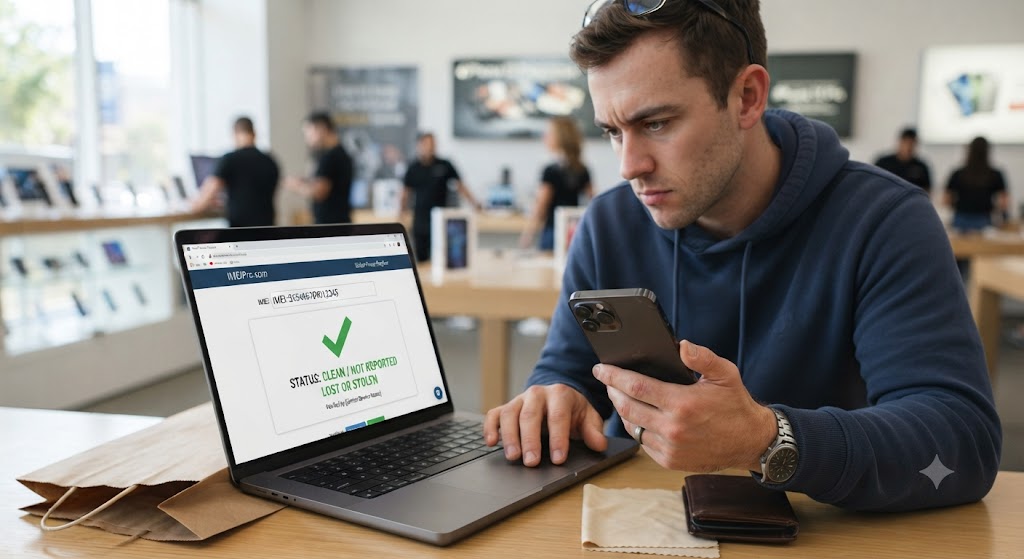
No matter how good a second-hand iPhone looks or how attractive the price may be, never buy it without checking its IMEI number and Activation Lock status. These two checks can reveal important information about the phone’s history and help you avoid buying a device that may later become unusable.
Many buyers assume that if an iPhone turns on and appears to work normally, everything must be fine. Unfortunately, that’s not always the case. A phone can look almost brand new but still have serious issues hidden beneath the surface, such as being reported lost or stolen, blocked by a mobile network, or still linked to the previous owner’s Apple ID.
Fortunately, checking these details only takes a few minutes and can save you from making a costly mistake.
1. What Is an IMEI Number?
Every iPhone has a unique International Mobile Equipment Identity (IMEI) number. Think of it as the phone’s fingerprint – it identifies that specific device and helps mobile networks recognise it.
If an iPhone is reported lost or stolen, its IMEI can be blacklisted. Once this happens, the phone may be blocked from connecting to UK mobile networks, making it far less useful and much harder to resell.
For this reason, checking the IMEI should always be part of your buying process.
2. How to Find the IMEI Number
There are several easy ways to locate an iPhone’s IMEI number.
You can:
- Open Settings > General > About and scroll down to the IMEI section.
- Dial
*#06#from the Phone app to display the IMEI instantly. - Check the original packaging if it’s available.
- Ask the seller to provide the IMEI before you meet.
A genuine seller shouldn’t hesitate to share this information. If someone refuses to provide the IMEI or makes excuses, treat it as a warning sign and consider looking elsewhere.
3. Why Should You Check the IMEI?
Checking the IMEI gives you valuable information before you buy. It can help you identify whether:
- The phone has been reported lost or stolen.
- The device has been blacklisted by a UK network.
- The IMEI shown in the software matches the physical device.
- The phone’s identity appears legitimate.
Although an IMEI check won’t tell you everything about a phone’s condition, it does provide an important layer of protection and helps reduce the risk of purchasing a problematic device.
4. What Is Activation Lock?
Activation Lock is one of Apple’s most important security features.
When Find My iPhone is enabled, the device becomes linked to the owner’s Apple ID. Even if someone performs a factory reset, the phone cannot be activated again without entering the original Apple ID and password.
This feature is designed to protect owners if their iPhone is lost or stolen, but it also means buyers need to be careful when purchasing a used device. If Activation Lock is still enabled, you won’t be able to use the iPhone as your own.
5. How to Check Activation Lock
Before buying the phone, ask the seller to:
- Sign out of their Apple ID.
- Turn off Find My iPhone.
- Erase all content and settings.
- Restart the device.
When the phone switches back on, it should display the standard iPhone setup screen without asking for the previous owner’s Apple ID or password.
If the device requests someone else’s login details, don’t buy it. It’s one of the clearest warning signs that the phone hasn’t been properly removed from the previous owner’s account.
6. Warning Signs You Should Never Ignore
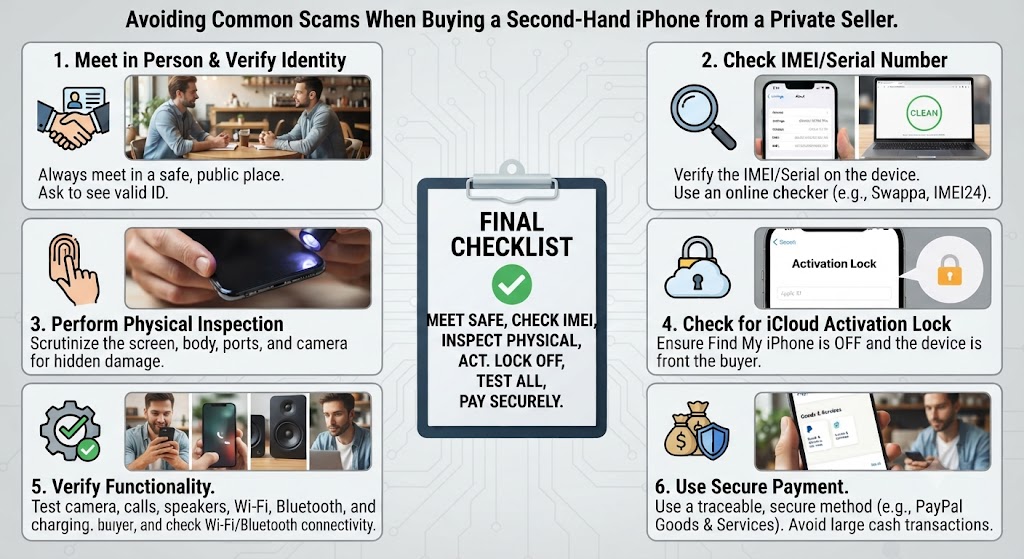
While inspecting a second-hand iPhone, pay close attention to the seller’s behaviour as well as the device itself. Be cautious if:
- The seller refuses to provide the IMEI number.
- They won’t let you reset the phone.
- They claim Activation Lock can be removed later.
- The phone asks for another person’s Apple ID.
- The IMEI shown on the phone doesn’t match the box.
- The price seems unusually low compared to similar listings.
- They pressure you to make a quick decision without testing the device.
One warning sign doesn’t always mean something is wrong, but several together should make you think twice before buying.
IMEI vs Activation Lock
| Check | What It Tells You | Why It Matters |
|---|---|---|
| IMEI Status | Whether the device has been reported lost, stolen, or blocked by a network. | Helps you avoid buying a blacklisted phone that may not work properly. |
| Activation Lock | Whether the iPhone is still linked to the previous owner’s Apple ID. | Confirms you can activate and use the phone after purchase. |
Although these checks are different, they work together to give you greater confidence before buying a second-hand iPhone.
How to Check Battery Health on a Second-Hand iPhone
When buying a second-hand iPhone, many people focus on the screen, cameras, or cosmetic condition while overlooking one of the most important components—the battery. Even if an iPhone looks almost brand new, a heavily worn battery can significantly affect your everyday experience.
Unlike scratches or small dents, battery wear isn’t always visible. A phone may power on, run smoothly, and still struggle to last a full day because the battery has naturally degraded over time. That’s why checking battery health should always be one of the first things you do before buying a used iPhone.
The good news is that Apple makes this information easy to access, allowing buyers to assess the battery’s condition without any specialist tools.
1. What Is Battery Health?
Every rechargeable battery has a limited lifespan. As it’s charged and discharged over hundreds of cycles, it gradually loses its ability to hold the same amount of power it did when it was new.
Apple measures this using Maximum Capacity, shown as a percentage in the Battery Health settings.
For example:
- A brand-new iPhone starts at 100% battery health.
- Over time, that percentage slowly decreases as the battery ages.
- The lower the percentage, the less charge the battery can hold.
This doesn’t necessarily mean the phone is faulty—it simply reflects normal battery wear. However, the percentage can help you estimate how much useful life remains before a battery replacement may be needed.
2. How to Check Battery Health
If you’re inspecting the phone in person, ask the seller if you can check the battery settings. Simply go to:
Settings → Battery → Battery Health & Charging
Here, you’ll see:
- Maximum Capacity
- Peak Performance Capability
These two pieces of information provide a good indication of the battery’s current condition.
If the phone displays a message saying the battery requires service, it’s worth factoring the cost of a replacement into your buying decision.
3. What Battery Health Percentage Is Considered Good?
There’s no single “perfect” number when buying a second-hand iPhone, but some percentages offer better long-term value than others.
The table below provides a general guide.
| Battery Health | What You Can Expect | Our Recommendation |
|---|---|---|
| 95% – 100% | Excellent battery performance with plenty of lifespan remaining. | Ideal if you’re looking for a device that feels close to new. |
| 90% – 94% | Very good battery condition for everyday use. | A great choice for most buyers. |
| 85% – 89% | Good overall performance, though slightly shorter battery life may be noticeable over time. | Still worth considering, especially if the price is competitive. |
| 80% – 84% | Battery is beginning to show its age and may not last a full day for heavier users. | Acceptable, but you should expect a replacement in the future. |
| Below 80% | Noticeably reduced battery life and possible performance limitations. | Only buy if the price reflects the need for a battery replacement. |
Remember, battery health should always be considered alongside the phone’s age, price, and overall condition.
4. Does a Lower Battery Health Always Mean You Shouldn’t Buy?
Not at all. Many buyers assume anything below 90% should be avoided, but that’s not necessarily true.
For example, if you’re buying a three-year-old iPhone with 86% battery health, that’s often perfectly reasonable. If the phone has been well looked after, performs smoothly, and is competitively priced, it could still represent excellent value.
On the other hand, if a relatively new iPhone has 78% battery health, it may indicate unusually heavy use or that a battery replacement will be needed sooner rather than later. The key is to look at the overall picture, not just one number.
5. Other Signs of a Worn Battery
Battery health percentage is useful, but it isn’t the only thing you should pay attention to. During your inspection, watch for signs such as:
- The battery drains unusually quickly.
- The phone becomes excessively hot during normal use.
- It shuts down unexpectedly even when charge remains.
- Charging takes much longer than expected.
- Performance feels inconsistent or sluggish.
If you notice several of these symptoms together, the battery may be nearing the end of its useful life.
How to Check the Display and Screen Quality of a Second-Hand iPhone
The display is one of the most expensive and frequently used parts of any iPhone. From replying to messages and browsing the internet to watching videos and taking photos, almost everything you do depends on the screen working perfectly.
That’s why checking the display should never be treated as a quick glance before buying a second-hand iPhone. A phone may look clean on the outside, but hidden display issues can affect touch responsiveness, colour accuracy, brightness, and even the overall user experience.
The good news is that you don’t need specialist equipment to spot many common screen problems. With a few simple checks, you can quickly determine whether the display is in good condition or whether it may have been damaged or replaced.
1. Start with a Careful Visual Inspection
Begin by looking closely at the screen under good lighting. Small signs of wear are perfectly normal on a used phone, but significant damage should never be ignored.
Check for:
- Cracks or chips around the edges.
- Deep scratches across the glass.
- Gaps between the display and the frame.
- Dust trapped under the screen.
- Uneven alignment.
- Signs that the screen has been removed previously.
A properly fitted display should sit flush with the frame and feel solid, without any lifting or movement. If you notice uneven gaps or poor alignment, it could indicate that the phone has undergone previous repairs.
2. Test the Touchscreen
A display isn’t just about appearance – it also needs to respond accurately to every touch. Open several apps and slowly move your finger across every part of the screen.
Make sure you can:
- Swipe smoothly in every direction.
- Open apps without delay.
- Type comfortably on the keyboard.
- Scroll through web pages without interruptions.
- Pinch to zoom in photos and maps.
If certain areas don’t respond properly, the touchscreen may have hidden damage or a poor-quality replacement display.
3. Check Brightness and Colour Accuracy
Apple displays are known for their sharp image quality, accurate colours, and excellent brightness. Turn the brightness up to maximum and look carefully at the screen.
You should see:
- Even brightness across the display.
- Natural-looking colours.
- Clear text.
- Deep blacks (on OLED models).
- No unusual colour tint.
If one side of the display appears darker than the other, or if colours look washed out, the screen may have underlying issues.
4. Look for Dead Pixels and Screen Damage
Dead pixels are tiny areas of the display that no longer work correctly. Although they can be difficult to spot, they become much easier to notice when displaying a plain white or black background.
Watch for:
- Small black dots.
- Bright coloured dots.
- Flickering areas.
- Lines running across the screen.
- Bright patches.
- Shadow marks.
Even a small defect can become more noticeable over time.
5. Check for Screen Burn-In
If you’re buying an OLED iPhone, it’s also worth checking for screen burn-in.
Burn-in occurs when faint images remain permanently visible because the same content has been displayed for long periods. Although modern iPhones manage this very well, heavily used devices may occasionally show signs of it.
Open a plain white image and look carefully for:
- Faint keyboard outlines.
- Ghost images.
- Navigation bars.
- App icons.
- Permanent shadows.
While minor burn-in may not affect everyone, noticeable burn-in can reduce the overall viewing experience.
6. Has the Screen Been Replaced?
A replacement screen isn’t automatically a bad thing. Many iPhones receive new displays after accidental damage and continue working perfectly. However, the quality of the replacement matters.
A genuine-quality display should feel almost identical to the original, while a low-quality aftermarket screen may have:
- Reduced brightness.
- Poor touch sensitivity.
- Less accurate colours.
- Lower durability.
- Reduced viewing angles.
- Faster battery drain.
If possible, ask the seller whether the display has ever been replaced and, if so, whether original-quality parts were used. Honest sellers are usually happy to explain the repair history.
Signs the Screen May Have Been Replaced
| What You Notice | What It Could Mean | What You Should Do |
|---|---|---|
| Uneven gaps around the display | Previous screen replacement or poor fitting | Inspect the phone more carefully before buying. |
| Touchscreen occasionally misses taps | Possible display damage or low-quality replacement screen | Test every area of the screen thoroughly. |
| Colours look dull or washed out | Non-original display may have been fitted | Compare it with another iPhone if possible. |
| Screen brightness seems unusually low | Display quality may not match Apple’s original specification | Ask the seller about the repair history. |
| Flickering or random flashes | Potential hardware or display fault | Consider avoiding the device unless professionally repaired. |
Quick Hardware Testing Checklist
| Feature to Test | Why It Matters | What You Should Look For |
|---|---|---|
| Rear & Front Cameras | Essential for photos, videos and video calls. | Sharp images, fast focus, working flash and smooth video recording. |
| Face ID / Touch ID | Protects your data and makes unlocking easier. | Fast, reliable recognition without repeated failed attempts. |
| Speakers | Affects calls, music and media playback. | Clear sound with no crackling, distortion or unusually low volume. |
| Microphones | Important for calls, voice notes and recordings. | Clear audio without static or interruptions. |
| Charging Port | Ensures reliable charging and data transfer. | Cable fits securely and charging starts immediately. |
| Wi-Fi & Bluetooth | Keeps the phone connected to networks and accessories. | Stable connections without random dropouts. |
| Buttons & Switches | Used daily for controlling the phone. | Every button should respond smoothly with a solid click. |
Where Is the Best Place to Buy a Second-Hand iPhone in the UK?
Finding the right iPhone is only half the job—the other half is deciding where to buy it. Even if two phones have the same model, storage capacity, and cosmetic condition, your buying experience can be completely different depending on who you’re purchasing from.
Some sellers offer excellent value and reliable after-sales support, while others may provide little information about the device and no help if something goes wrong after the sale.
That’s why it’s worth looking beyond the price alone. Factors such as warranty, return policy, refurbishment standards, customer support, and the seller’s reputation all play an important role in determining whether you’re getting a genuine bargain or taking an unnecessary risk.
Let’s look at the most common places to buy a second-hand iPhone in the UK and the pros and cons of each.
1. Buying from a Private Seller
Private sellers are often the first option people consider because they usually advertise the lowest prices. You can find second-hand iPhones through local marketplaces, classified websites, social media groups, or community selling platforms.
While buying privately can save money, it also places most of the responsibility on you as the buyer.
Advantages
- Often the lowest purchase price.
- Opportunity to negotiate.
- Ability to inspect the phone before paying (if meeting in person).
- Wide range of models available.
Disadvantages
- Usually no warranty.
- Limited or no return policy.
- Unknown repair history.
- Greater risk of hidden faults.
- Higher chance of buying a blacklisted or Activation Locked device if proper checks aren’t carried out.
Private purchases can work well, but only if you’re confident inspecting the phone yourself and verifying its condition before handing over any money.
2. Buying from Online Marketplaces
Large online marketplaces provide access to thousands of second-hand iPhones from both individuals and businesses. This gives buyers plenty of choice, but it also means quality can vary significantly from one listing to another.
Before placing an order, take time to review:
- Seller ratings.
- Customer reviews.
- Product descriptions.
- Return policies.
- Warranty information.
- Real photographs of the device.
A trustworthy listing should provide clear information about the phone’s condition rather than using vague descriptions.
3. Buying from Mobile Networks
Some UK mobile networks also sell pre-owned or refurbished smartphones. These devices are often tested before being resold and may include warranty protection.
Although prices aren’t always the lowest available, many buyers appreciate the additional reassurance that comes from purchasing through an established provider. This option can be particularly attractive if you’re also planning to take out a new mobile contract.
4. Buying from a Specialist Refurbished Retailer
For many buyers, purchasing from a specialist refurbished retailer offers the best balance between affordability and peace of mind. Unlike a typical private sale, reputable refurbishment specialists usually carry out detailed inspections before a device is listed for sale.
Depending on the retailer, this may include:
- Hardware diagnostics.
- Battery assessment.
- Camera testing.
- Display inspection.
- Connectivity checks.
- Professional cleaning.
- Cosmetic grading.
- Factory reset.
- Final quality control.
Many retailers also include:
- Warranty protection.
- Return period.
- Customer support.
- Transparent grading standards.
Although you may pay slightly more than buying privately, the added security often represents much better long-term value.
5. Should You Buy a Refurbished iPhone Instead?
For many people, the answer is yes.
If reliability is more important than finding the absolute lowest price, a professionally refurbished iPhone is often the safer choice. A reputable refurbishment specialist has already completed many of the checks you would otherwise need to perform yourself.
That means less uncertainty and greater confidence in the device you’re buying.
If you’re still deciding whether refurbished is the right option for you, our guide on Complete Guide to Choosing the Best Refurbished iPhone explains everything you need to know before making a decision.
You may also find our article “What Are the Different Refurbished Grades?” guide helpful if you’re unsure what cosmetic grades such as Excellent, Very Good, or Good actually mean.
Comparing Your Buying Options
| Where You Buy | Price | Risk Level | Warranty | Best For |
|---|---|---|---|---|
| Private Seller | Usually the lowest | High | Rarely included | Experienced buyers who know how to inspect a phone thoroughly. |
| Online Marketplace | Competitive | Medium to High | Depends on the seller | Buyers willing to compare listings carefully. |
| Mobile Network | Moderate | Low | Usually included | Customers looking for additional reassurance. |
| Specialist Refurbished Retailer | Slightly higher | Low | Commonly included | Buyers who value reliability, testing, and after-sales support. |
FAQs About Buying a Second-Hand iPhone
1. Is it safe to buy a second-hand iPhone?
Yes, buying a second-hand iPhone is generally safe if you purchase it from a trusted seller and inspect the device carefully before paying. Check the IMEI status, Activation Lock, battery health, display, cameras, Face ID or Touch ID, and overall condition. If you prefer additional peace of mind, choosing a professionally refurbished iPhone with a warranty and return policy is often the safer option.
2. Is buying a refurbished iPhone safer than buying a used iPhone?
In many cases, yes. A refurbished iPhone is usually professionally tested, cleaned, and inspected before being sold, whereas a standard second-hand iPhone may be sold without any formal testing. Reputable refurbished retailers also often include a warranty and after-sales support, making them a more reliable choice for many buyers.
3. What should I check before buying a second-hand iPhone?
Before buying a used iPhone, inspect the battery health, IMEI status, Activation Lock, display quality, touchscreen responsiveness, cameras, Face ID or Touch ID, speakers, microphones, charging port, buttons, Wi-Fi, Bluetooth, and overall cosmetic condition. Completing these checks can help you avoid expensive repairs later.
4. How do I check if a second-hand iPhone is genuine?
You can verify a genuine iPhone by checking the IMEI number, serial number, model information, and software. Compare the information shown in Settings > General > About with the device and packaging where available. Also ensure Activation Lock has been removed before completing the purchase.
5. What battery health is considered good for a used iPhone?
A battery health of 90% or above is considered excellent, while 85% or higher is still a good choice for most buyers. If battery health falls below 80%, you should expect reduced battery life and may need to budget for a battery replacement in the near future.
6. Can I buy a second-hand iPhone with 80% battery health?
Yes, you can, but it’s important to understand that an 80% battery has already experienced significant wear. If the phone is competitively priced and performs well, it may still offer good value. However, you should expect that the battery may need replacing sooner than a device with higher battery health.
7. What is Activation Lock, and why is it important?
Activation Lock is Apple’s security feature that prevents anyone else from using an iPhone linked to another person’s Apple ID. If Activation Lock hasn’t been removed by the previous owner, you won’t be able to activate the phone. Always confirm the device has been signed out of the previous owner’s Apple account before buying.
8. How can I check if an iPhone has been reported lost or stolen?
The safest approach is to ask the seller for the IMEI number before buying. Checking the IMEI can help identify whether the device has been reported lost, stolen, or blacklisted by a mobile network. A trustworthy seller should be happy to provide this information.
9. Is it better to buy a second-hand iPhone from a private seller or a retailer?
Private sellers often offer lower prices, but they rarely provide warranties or return policies. Buying from a reputable refurbished retailer generally offers greater peace of mind through professional testing, quality checks, warranty protection, and customer support.
10. How long does a second-hand iPhone usually last?
A well-maintained iPhone can continue performing reliably for several years. The lifespan depends on the model, battery condition, usage history, and overall maintenance. Because Apple provides long-term iOS updates, many second-hand iPhones remain fast and secure well beyond their original release date.
11. Are second-hand iPhones worth buying?
Yes. Many recent iPhone models still deliver excellent performance, receive software updates, and offer premium features at a much lower price than buying new. For many UK buyers, a second-hand or refurbished iPhone provides excellent value for money.
12. Can I trust refurbished iPhones?
Yes, provided you buy from a reputable refurbishment specialist. Trusted retailers inspect, test, clean, and grade each device before sale, often including warranty protection and return policies that provide additional confidence.
13. Does a refurbished iPhone come with a warranty?
Many professional refurbished retailers include a warranty, although the length and terms vary between sellers. Before purchasing, always check what the warranty covers and whether a return period is available.
14. What are the signs of a bad second-hand iPhone?
Common warning signs include poor battery health, cracked or poorly fitted screens, non-working Face ID, faulty cameras, charging problems, Activation Lock, blacklisted IMEI numbers, and sellers who refuse to answer questions or allow proper testing.
15. Should I buy a second-hand iPhone without the original box?
Yes, you can. While the original box is a nice bonus, it isn’t essential. What’s far more important is the phone’s condition, battery health, IMEI status, Activation Lock, and whether it has been tested properly before purchase.
16. Can a second-hand iPhone still receive iOS updates?
Yes. Apple supports its devices with software updates for many years. Depending on the model you buy, a second-hand iPhone may continue receiving iOS updates, security improvements, and new features for several years after purchase.
17. Why are refurbished iPhones cheaper than new ones?
Refurbished iPhones cost less because they’ve had a previous owner. Although they are professionally tested and prepared for resale, they don’t carry the same premium price as brand-new devices, allowing buyers to enjoy significant savings.
18. What is the biggest risk when buying a second-hand iPhone?
The biggest risks include buying a phone with Activation Lock enabled, a blacklisted IMEI, poor battery health, hidden water damage, or low-quality replacement parts. Most of these risks can be avoided by carrying out proper checks and purchasing from a trusted seller.
19. How can I avoid scams when buying a used iPhone?
Always meet in a safe place if buying privately, inspect the phone thoroughly, verify the IMEI, test all major features, confirm Activation Lock has been removed, and avoid sellers who pressure you into making a quick decision or refuse to answer reasonable questions.
20. Is a refurbished iPhone the best alternative to buying a new iPhone?
For many buyers, yes. A professionally refurbished iPhone offers premium Apple performance at a lower price while often including professional testing, warranty protection, and customer support. If you’re looking for the best balance between affordability and reliability, a refurbished iPhone is an excellent alternative to buying new.
Final Verdict: Is It Safe to Buy a Second-Hand iPhone?
So, is it safe to buy a second-hand iPhone? The short answer is yes – but only if you buy carefully.
A second-hand iPhone can offer outstanding value for money, giving you access to Apple’s premium design, excellent cameras, long software support, and reliable performance without paying the full price of a brand-new device. For many buyers in the UK, it’s one of the smartest ways to own an iPhone while staying within budget.
However, the key to a successful purchase isn’t simply finding the cheapest deal – it’s finding a device that’s been properly checked and sold by a trustworthy seller.
Throughout this guide, we’ve covered the essential steps every buyer should take before purchasing a used iPhone. From checking the IMEI number and Activation Lock to inspecting battery health, display quality, cameras, Face ID, and overall condition, these simple checks can help you avoid many of the common problems associated with second-hand smartphones.
If you’re buying from a private seller, take your time, ask questions, and never feel pressured into making a quick decision. A genuine seller will usually be happy to let you inspect the phone and answer reasonable questions about its history.
If, on the other hand, you prefer greater peace of mind, a professionally refurbished iPhone is often the better choice. Although it may cost slightly more than a privately sold device, the added benefits of professional testing, warranty protection, quality control, and after-sales support can make it a far better long-term investment.
Ultimately, the best choice depends on your budget, priorities, and confidence in inspecting used devices. Whether you choose a second-hand or refurbished iPhone, taking a little extra time before you buy can save you from unnecessary repairs, unexpected costs, and future disappointment.
Our Expert Recommendation
After helping thousands of customers choose reliable Apple devices, our recommendation is simple:
- Never buy a second-hand iPhone based on price alone.
- Always check the IMEI number and Activation Lock.
- Verify the battery health and test every major feature.
- Buy from a seller with a good reputation whenever possible.
- If you want the safest buying experience, consider a professionally refurbished iPhone that includes a warranty and has been thoroughly tested.
A little research before buying can make the difference between owning a dependable iPhone for years and dealing with expensive repairs shortly after your purchase.
Why Trust iExpert Market?
At iExpert Market, we believe buying refurbished technology should be simple, transparent, and stress-free. Every refurbished iPhone is professionally inspected, tested, cleaned, and graded before it reaches a customer, helping to ensure reliable performance and excellent value.
Whether you’re upgrading your current phone or buying your first iPhone, our goal is to help you make an informed decision with honest advice, expert guidance, and high-quality refurbished devices you can buy with confidence.
Back to posts