
Apple MacBook Pro Notebooks
The MacBook Pro is Apple’s professional notebook – built for people who need serious, sustained performance in a portable laptop, whether that’s video editing, software development, music production or heavy multitasking. As the highest-performing notebook in Apple’s line-up, it pairs a bright, colour-accurate display with the fastest chips Apple puts into a laptop. At iExpert Market, every MacBook Pro notebook generation is available as professionally refurbished stock – fully tested, clearly graded, and backed by a 12-month warranty.
Browse live stock in our MacBook Pro Refurbished category, or see the full MacBook range if you want to compare against the MacBook Air first.
Sort by:
Sort



Free UK Delivery

12 months warranty

Good for the Planet, Great for You

Tested Refurbished
What Is the Apple MacBook Pro Notebook?
The MacBook Pro is Apple’s professional-grade notebook, built for people whose work genuinely taxes a computer: video editors rendering long timelines, developers compiling large projects, musicians running dozens of live plug-ins, and anyone who needs a notebook that won’t slow down under sustained pressure. Every MacBook Pro notebook we sell has been reset, function-tested and graded before it reaches you, so you get workstation-class capability without paying workstation-class prices.
Unlike a general-purpose laptop, the MacBook Pro is deliberately over-specified for everyday tasks and under-priced for what it can actually sustain over a long working session. That trade-off is exactly why it has become the default choice for creative studios, engineering teams and freelancers who bill by the hour and can’t afford a notebook that stutters mid-render. Buying one refurbished simply removes the new-price premium without touching any of that capability.
Who Actually Needs a MacBook Pro Notebook?
Not everyone does, and it’s worth saying that plainly before you spend more than you need to. A MacBook Pro notebook earns its price when your regular work involves:
- Editing 4K or multi-track video, or working through large RAW photo libraries
- Compiling code, running virtual machines, or handling large datasets
- Producing or mixing music with real-time effects across multiple instrument tracks
- Running several demanding applications side by side without slowdown
- Driving one or more high-resolution external displays as part of a desk setup
If your day looks more like browsing, email, streaming and office documents, the lighter MacBook Air notebook will do the same job for less money and less weight.
Choosing a MacBook Pro Notebook by Generation
iExpert Market carries refurbished MacBook Pro notebooks across several hardware generations, from the last Intel-based models through to Apple’s newest silicon. Here’s how they actually differ in daily use, not just on a spec sheet.
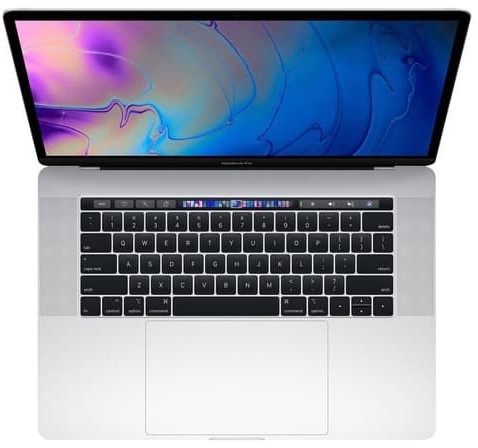
Intel MacBook Pro (2019)
The final Intel generation before Apple’s switch to its own chips. It remains a capable notebook for everyday and moderately demanding work, and sits at the most affordable end of our refurbished 2019 MacBook Pro stock, though it runs warmer and drains its battery faster than any Apple Silicon model.
M1 MacBook Pro (2020 and 2021)
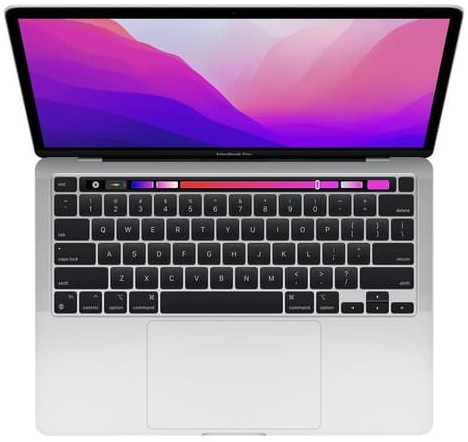
Apple Silicon’s arrival transformed the Pro line overnight: dramatically longer battery life, near-silent running under normal use, and a genuine performance jump over the outgoing Intel chips. The 13-inch M1 model from 2020 kept the older body design, while the redesigned 14″ and 16″ M1 Pro/Max models from 2021 introduced the Liquid Retina XDR display, MagSafe charging and far more powerful chip options.
M2 MacBook Pro (2022)
A refinement of the 2021 redesign with faster M2 Pro and M2 Max silicon, more memory bandwidth, and better efficiency under sustained, demanding workloads. Current M2 MacBook Pro stock is worth a look if this generation suits your budget.
M3 MacBook Pro (2023)
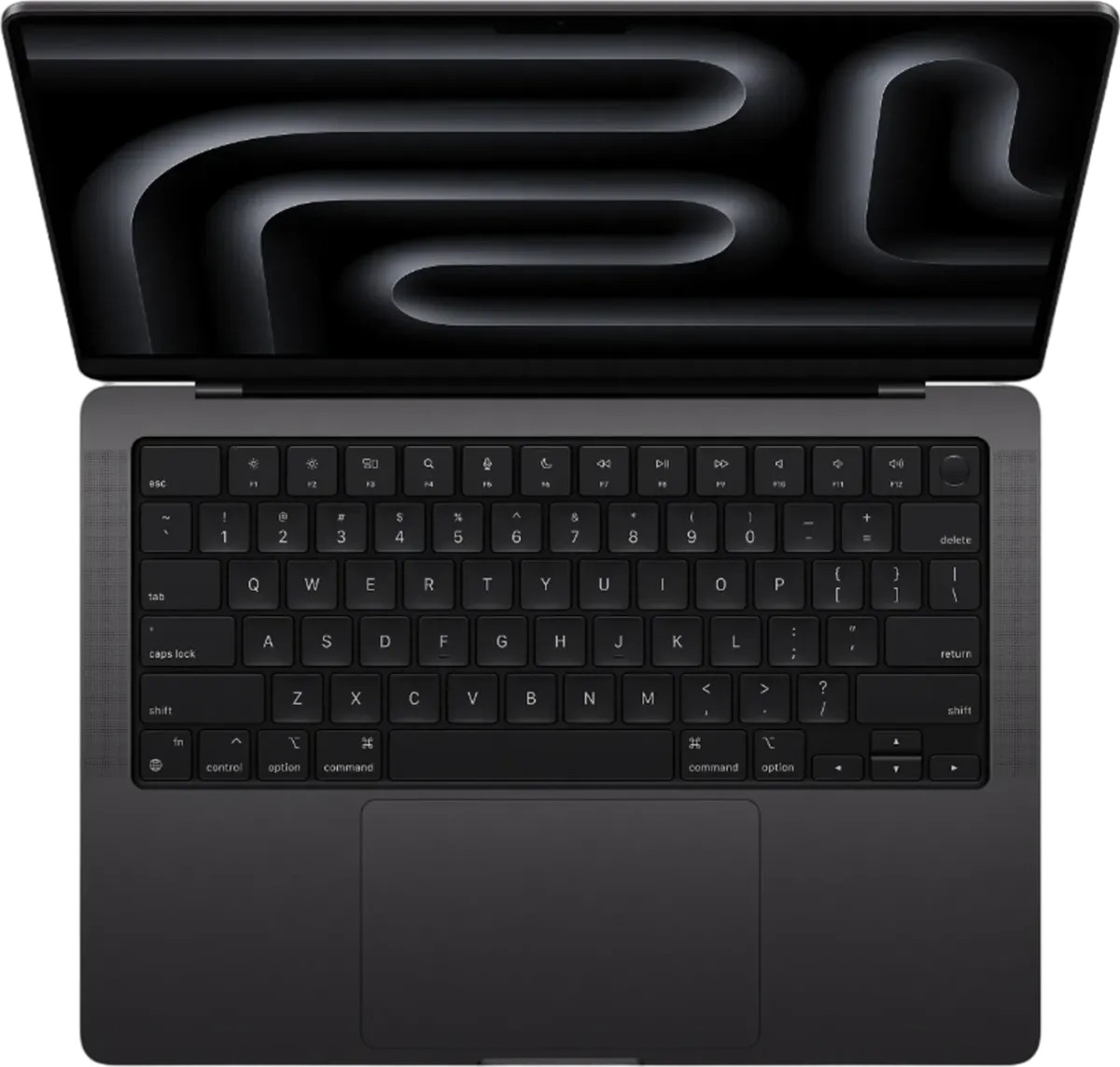
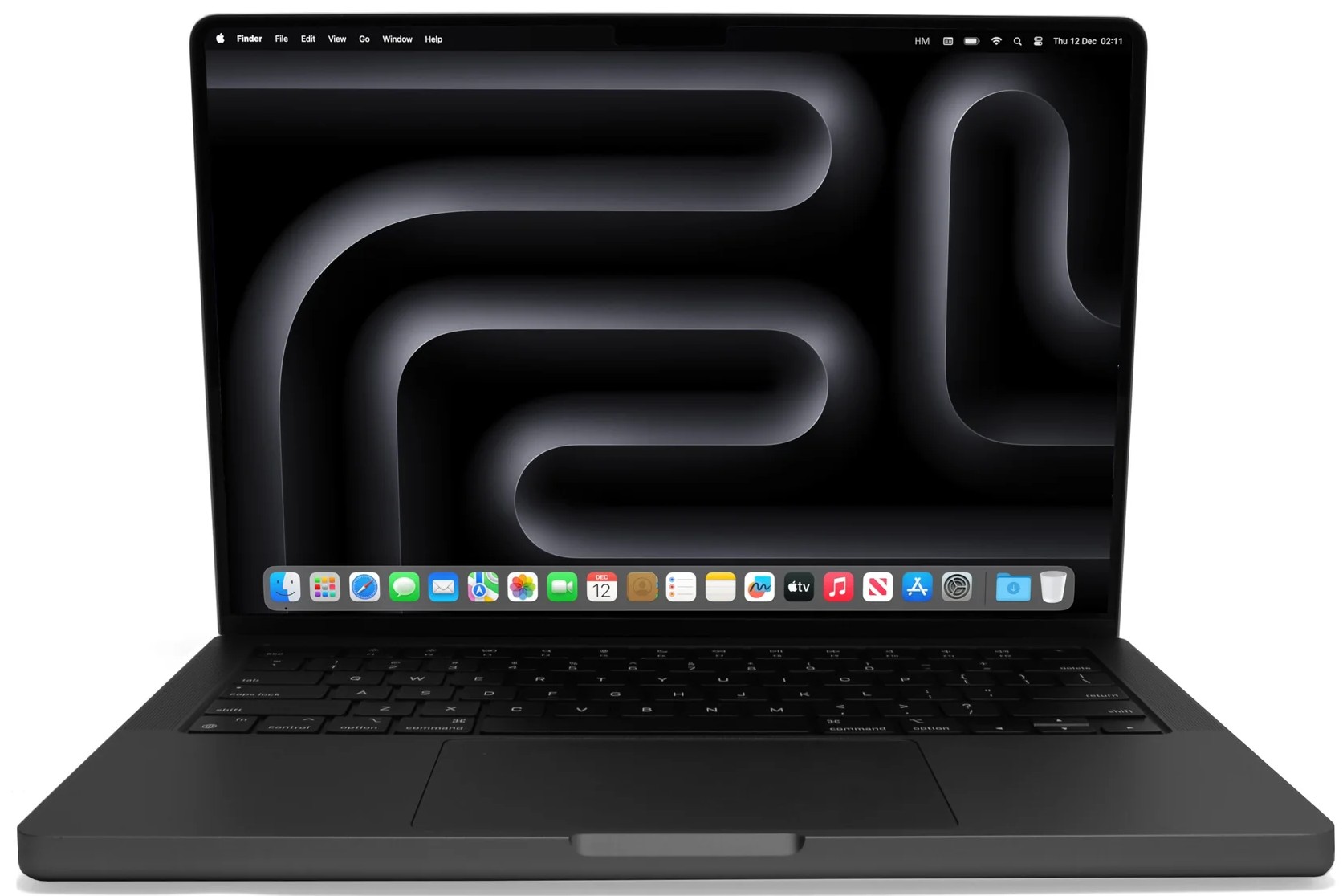
Added a brighter display option and further chip efficiency gains, along with Space Black as a new finish on higher-end configurations. See what’s currently available in our M3 MacBook Pro range.
M4 MacBook Pro (2024)
The newest generation we stock, with Apple’s latest chip family delivering the strongest performance and efficiency of any MacBook Pro notebook in our range. Check M4 MacBook Pro availability for the most current specification.
MacBook Pro Notebook Specs at a Glance
| Generation | Chip | Screen Sizes | Best For |
|---|---|---|---|
| MacBook Pro (2019) | Intel Core i5/i7/i9 | 13″, 15″, 16″ | Lowest-cost entry, lighter workloads |
| MacBook Pro M1 | M1 / M1 Pro / M1 Max | 13″, 14″, 16″ | Big jump over Intel, strong value |
| MacBook Pro M2 | M2 Pro / M2 Max | 14″, 16″ | Sustained creative and technical work |
| MacBook Pro M3 | M3 Pro / M3 Max | 14″, 16″ | Brighter display, further efficiency |
| MacBook Pro M4 | M4 Pro / M4 Max | 14″, 16″ | Current flagship performance |
Chip Tiers Explained: Base, Pro and Max
From the M1 generation onwards, Apple splits the MacBook Pro notebook line into three chip tiers, and picking the right one matters more than picking the newest year.
Base Chip
Found on 13-inch and some 14-inch models, and strong for everyday professional work that doesn’t involve heavy sustained rendering.
Pro Chip
Adds meaningfully more CPU and GPU cores, aimed at people who regularly edit video or work with large creative files.
Max Chip
The most powerful tier available, with the highest memory bandwidth, built for colour grading, 3D work and the most demanding technical workloads a notebook can realistically handle.
Memory and Storage
Unified Memory
Because memory is shared between the CPU and GPU on Apple Silicon, more of it noticeably improves performance in video, 3D and multitasking-heavy work, not just how many browser tabs you can keep open.
Storage Capacity
Video and photo professionals working with large local libraries should prioritise higher storage; if you lean on cloud storage day to day, a mid-tier capacity is usually enough.
Screen Size: 14-Inch vs 16-Inch
The 14-inch MacBook Pro notebook is the more portable choice for regular travel between locations, while the 16-inch model gives you meaningfully more screen real estate for timeline editing, multi-window coding or split-screen layouts, at a modest weight increase.
MacBook Pro Notebook vs MacBook Air: Which Should You Buy?
Both are genuine Apple notebooks running the same macOS, built on the same underlying chip architecture, and updated on the same software timeline. The difference isn’t capability in the abstract; it’s how much of that capability you can draw on continuously without the notebook slowing itself down to stay cool. That single distinction, active cooling versus none, explains almost every other difference in this comparison.
| Factor | MacBook Pro Notebook | MacBook Air Notebook |
|---|---|---|
| Cooling | Active fan, no throttling under load | Fanless, silent, can throttle under sustained load |
| Display | Liquid Retina XDR, ProMotion (14″/16″) | Standard Liquid Retina display |
| Ports | MagSafe, HDMI, SD card, multiple Thunderbolt | MagSafe (M2 onwards), limited Thunderbolt/USB-C |
| Best for | Sustained, demanding professional work | Everyday computing, study, portability |
If that comparison leaves you leaning lighter and quieter rather than more powerful, our MacBook Air notebook guide covers that side of the range in full.
What You Can Actually Do With a MacBook Pro Notebook
Creative Professionals
Multi-track 4K and 8K video editing, colour grading and large-format photo retouching all benefit from the Pro or Max chip tiers paired with the higher-brightness XDR display.
Developers and Engineers
Faster compile times, smoother virtual machines, and enough unified memory to run several resource-heavy tools at once without the fan constantly spinning up.
Business and Power Users
Multiple external displays, large spreadsheets and heavy multitasking across dozens of tabs and documents all stay smooth, even across a long working day.
Gaming on a MacBook Pro Notebook
Pro and Max chip tiers handle modern games far better than a fanless notebook can sustain, thanks to active cooling that keeps performance consistent during longer sessions, even if the MacBook Pro isn’t marketed as a gaming machine first.
Is It Overkill for Everyday Use?
If your typical day is browsing, email and streaming, a MacBook Pro notebook is genuinely more machine than you need, and the money is better spent on a MacBook Air notebook plus a larger storage tier.
How to Choose the Right MacBook Pro Notebook for Your Workload
- Identify your heaviest regular task, whether that’s video, code, music or general business use, and size the chip tier to that task rather than your lightest one.
- Pick 14″ for portability, or 16″ if screen real estate matters more than carrying weight.
- Choose memory based on how many demanding apps you run at once, not just your current workload.
- Decide on storage by how much you genuinely keep locally versus in the cloud.
- Check grading and warranty terms before comparing final price across listings.
Buying Refurbished: Grading, Testing and Warranty
How We Grade Every Unit
- Excellent – minimal to no visible wear, looks close to new.
- Good – light scratches or marks that don’t affect the screen or performance.
- Fair – visible wear but fully functional, a smart choice on a tighter budget.
For a fuller breakdown of how grading works across every device category we sell, see our guide on what the different refurbished grades actually mean.
Our Testing Process
Every MacBook Pro notebook is data-wiped, function-tested across battery, screen, keyboard, trackpad, ports and speakers, then graded before it’s listed, regardless of price or generation.
Warranty and Returns
Every unit ships with a 12-month warranty and our standard UK returns policy, so buying refurbished carries none of the uncertainty of an unverified private sale.
Is a Refurbished MacBook Pro Notebook Safe to Buy?
Yes, provided it comes from a specialist seller who data-wipes, tests and warranties each unit, as we do here. The real risk sits with unverified private listings, where there’s no consistent testing standard and no guarantee the previous owner’s Apple ID and Find My have been properly removed.
Living With a MacBook Pro Notebook
Specs matter when you’re choosing, but day-to-day life with a MacBook Pro notebook comes down to a handful of practical things: how long it lasts on a charge, how easily it connects to the accessories and displays you already own, and how long Apple will keep supporting it with updates. Here’s what to expect on each front.
Battery Life
Apple Silicon models comfortably clear a full working day of mixed use, though sustained heavy rendering will draw the battery down faster than everyday tasks would. In practice, most owners see the biggest difference between generations in how quickly the battery recovers on charge and how gracefully performance holds up once the battery is below 20%, both of which improve with each newer chip generation.
Ports and Connectivity
14″ and 16″ models include MagSafe charging, an HDMI port, an SD card slot and multiple Thunderbolt ports, noticeably more than the Air’s minimal selection, which matters if you regularly connect several peripherals or an external display.
Display Quality
From the 2021 redesign onwards, 14″ and 16″ models use a Liquid Retina XDR display with ProMotion, giving smoother scrolling and far higher peak brightness than the standard panel on a MacBook Air.
Webcam and Video Calling
Every redesigned MacBook Pro notebook includes a 1080p FaceTime HD camera and studio-quality microphones, making it a genuinely strong choice for client calls and video conferencing without any external accessories.
Keyboard and Trackpad
The Magic Keyboard’s scissor-switch mechanism is comfortable for long typing sessions, and the large Force Touch trackpad offers the same precise, consistent haptic feedback across every recent generation.
External Display Support
Base-chip models typically support one external display, while Pro and Max chip tiers can drive two or more high-resolution external displays, an important distinction if a multi-monitor setup is part of your workflow.
Charging and MagSafe Across Generations
From the 2021 redesign onwards, MacBook Pro notebooks charge via MagSafe as well as USB-C, freeing up a Thunderbolt port for other accessories. Earlier Intel and 13-inch M1 models charge via USB-C only.
Software Longevity
Apple typically supports each MacBook Pro notebook generation with macOS updates for around six to seven years, so even an older M1 unit still receives security updates and current app compatibility.
Software Compatibility
Apple Silicon MacBook Pro notebooks run the vast majority of professional software natively. A small number of older, Intel-only tools may rely on Apple’s Rosetta 2 translation layer, which runs transparently in the background with minimal impact on typical workflows.
Is It Upgradable After Purchase?
Memory and storage are built into the logic board on Apple Silicon models and can’t be upgraded later, so it’s worth choosing generously at the time of purchase rather than assuming you can add capacity afterwards.
Accessibility Features
Every MacBook Pro notebook includes the full suite of macOS accessibility tools, including VoiceOver, Zoom and Switch Control, alongside extensive display and hearing accommodations.
Is a Refurbished MacBook Pro Notebook Worth It?
A refurbished MacBook Pro runs identical software to a new one of the same specification; the only real differences are history and price. Buying through a specialist seller who data-wipes, tests and warranties every device removes the main risks people generally associate with buying second-hand, a concern we cover in broader terms in our guide to refurbished versus second-hand devices. Choosing refurbished also reduces electronic waste by extending a well-built notebook’s working life instead of retiring it early, which is worth factoring in alongside the price saving.
New vs Refurbished MacBook Pro Notebook
Placed side by side, a new and a refurbished MacBook Pro of the same configuration behave identically: same chip, same display, same battery life, same macOS updates. The refurbished unit has simply been owned before, then professionally inspected, repaired where needed, wiped and re-tested ahead of resale. For most buyers, that history is a non-issue once a proper warranty is attached, and the saving over buying new is usually substantial enough to justify a higher chip tier or storage capacity than a new-only budget would allow.
The Environmental Case for Refurbished
Every refurbished MacBook Pro notebook we sell is one fewer new unit that needs mining, manufacturing and shipping from scratch, and one fewer working device sent to landfill before its useful life is actually over. For a notebook built to last six or seven years of software support, buying refurbished stretches that lifespan further rather than resetting the clock, which is a genuine environmental saving alongside the financial one.
Resale Value
The MacBook Pro holds its value well on the used and refurbished market compared with most equivalent Windows notebooks, since it sits in Apple’s current line-up rather than being a discontinued model, which keeps demand and trade-in values relatively strong.
Typical MacBook Pro Notebook Buyers
Three groups make up most of our MacBook Pro notebook sales. Creative freelancers need dependable sustained performance without workstation pricing, and often choose a Pro or Max chip tier specifically to avoid render queues eating into billable hours. Developers value fast local builds over cloud compute, particularly when working offline or on client infrastructure that can’t leave a laptop. Business users running demanding, multi-app workdays choose the MacBook Pro notebook for the extra headroom it gives over an entry-level machine, even when their day-to-day tasks look fairly ordinary on paper.
Frequently Confused Terms
“Notebook” and “laptop” are used interchangeably in the UK, and the MacBook Pro is Apple’s professional notebook within its wider Mac line-up. Buyers also sometimes confuse “Pro” the product name with “Pro” the chip tier: a MacBook Pro notebook can actually be fitted with a base M-series chip rather than the Pro or Max variant, so it’s worth checking the exact chip listed rather than assuming the notebook name tells you the tier. When comparing listings, always check the specific generation, chip tier and memory configuration rather than relying on the model name alone, since performance and price vary meaningfully within it.
Does Apple Still Make the MacBook Pro?
Yes. The MacBook Pro remains an actively developed, current model in Apple’s notebook range, with the M4 generation as the most recent release, which is one of the reasons a refurbished unit remains a safe long-term purchase rather than a discontinued dead end.
MacBook Pro Notebook Pricing in the UK
Pricing depends on generation, chip tier, screen size, memory, storage and cosmetic grade, so an entry-level 2019 or M1 configuration costs meaningfully less than a recent M3 or M4 Max unit. As a general rule, the biggest single jump in price sits between the base chip and the Pro or Max tier, followed by screen size, then memory and storage, so it’s worth deciding your chip tier first and treating the rest as fine-tuning within that budget. Across our full store, covering phones, tablets and notebooks together, tested devices start from just £69, with the individual price for each MacBook Pro notebook configuration shown on its own product listing.
Trade-In and Business Bulk Orders
Neither trading in nor buying in bulk requires you to compromise on which MacBook Pro notebook generation or chip tier you end up with; both routes simply reduce the price you pay to get there.
Trading in an old phone, tablet or notebook can reduce the cost of your next MacBook Pro; see our trade-in deals for every way to save. Businesses and schools equipping several staff or students with consistently graded MacBook Pro notebooks can also order in bulk through our business purchasing page, which covers company invoicing and fleet rollouts.
Accessories Worth Adding
- USB-C or Thunderbolt dock – useful if you regularly connect several peripherals or displays at a desk.
- Protective sleeve – worth having if your MacBook Pro notebook travels between home, studio and office.
- External SSD – a practical way to extend storage on lower-capacity configurations.
- Spare MagSafe or USB-C cable – handy for a notebook that moves between locations frequently.
Related Reading and Apple Ecosystem Notebooks
Already own an iPad? A MacBook Pro notebook pairs neatly with Apple’s tablet range; see our guide to the iPad Air if you’re building out a full Apple setup, or browse the wider refurbished iPad range. Still weighing up Mac against Windows? Our refurbished Windows laptop range is worth comparing on price before you commit, and our guide on whether refurbished Apple devices are worth buying covers the same value case in more detail.
Final Thoughts on Buying an Apple MacBook Pro Notebook
The MacBook Pro remains Apple’s most capable notebook, built for sustained professional work rather than light everyday tasks, and it’s the notebook we recommend whenever a buyer’s workload genuinely needs the extra power. It won’t be the right choice for everyone reading this page, and that’s fine; a lighter, cheaper MacBook Air notebook will suit plenty of buyers just as well. But if your work has ever felt slowed down by the machine you’re using rather than the task itself, a refurbished MacBook Pro notebook is one of the more cost-effective ways to fix that. Refurbished stock delivers the same experience as buying new at a meaningfully lower cost; browse our MacBook Pro Refurbished range to see current availability, or compare it against the full MacBook range if you’re still deciding which notebook fits your work best.
FAQs About the Apple MacBook Pro Notebook
The MacBook Pro is Apple’s professional-grade notebook, built for sustained, demanding workloads like video editing, software development and music production, running macOS on Apple Silicon chips.
The MacBook Pro offers active cooling for sustained performance, a brighter display and more ports, while the MacBook Air is lighter, silent and more affordable for everyday tasks.
A base M-series chip suits general professional use, while Pro and Max chip tiers suit video editing, 3D rendering and music production requiring sustained performance.
Yes. A refurbished MacBook Pro notebook runs identical software and offers the same features as a new one of the same configuration, backed by professional testing and a warranty.
No. Memory and storage are built into the logic board on Apple Silicon MacBook Pro notebooks, so it’s important to choose the right configuration at the time of purchase.
The 14-inch and 16-inch models do. The 13-inch M1 MacBook Pro notebook charges via USB-C only, without a dedicated MagSafe port.
Yes, particularly with a Pro or Max chip tier. It handles 4K and 8K editing, colour grading and complex timelines smoothly, paired with a bright, colour-accurate display.
Apple typically supports each generation with macOS updates for six to seven years or more, and a well-maintained refurbished unit can deliver several more years of reliable use.
The 14-inch model is more portable for travel and multiple locations, while the 16-inch model offers a larger screen, longer battery life and stronger speakers for desk-based use.
For simple browsing, email and streaming, yes – the MacBook Air will cover those tasks at a lower price. The MacBook Pro notebook earns its cost with sustained, demanding workloads.
Yes. We assess trade-in phones, tablets and notebooks on model and condition and apply the value as credit towards your next purchase – see our discount mobile deals page for the full range of ways to save.
Yes, provided it comes from a specialist seller that data-wipes, function-tests and warranties each unit, as we do with every MacBook Pro notebook sold at iExpert Market.
Every refurbished MacBook Pro notebook from iExpert Market comes with a 12-month warranty covering functional faults, plus a standard UK return window if the device isn’t right for you.
Yes. We support bulk MacBook Pro notebook orders for businesses with consistent grading across units and invoicing suited to company accounts, whether for a handful of devices or a larger fleet rollout.